Google adds non-coding layout to Antigravity
The new Knowledge Work option reduces developer-focused controls without changing the underlying agent or disabling installed capabilities.
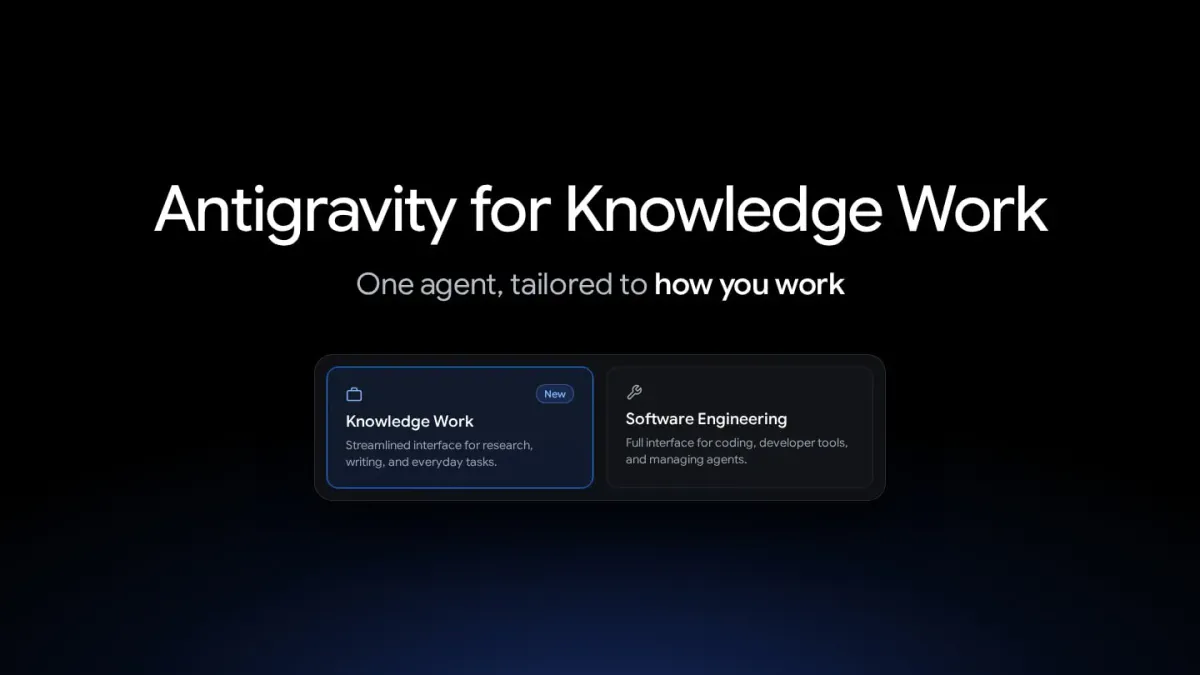
Google is introducing a Knowledge Work layout for Antigravity aimed at tasks beyond programming, including research, document drafting and data analysis. Users can choose it as an alternative to the tool’s Software Engineering interface.
The company says tens of thousands of Google employees outside software engineering now use Antigravity every week. Their work spans areas such as sales, legal and finance. Google also reports growing use for presentations, design prototypes and automation of everyday tasks.
The changes affect how users interact with Antigravity rather than the agent itself, Google said. Models and local files remain accessible, while installed skills, rules, custom agents and MCP tools continue operating even though the customization screen displays only plugins.
In Knowledge Work, conversations run within project folders without prompts about Git branches or worktrees. GitHub controls are hidden, permission requests use plain-language summaries, and a progress line disappears when the agent finishes responding.
The overview panel stays out of view until a conversation produces output, then highlights items such as documents and background tasks. Developer options and detailed permission rules move behind Advanced Settings. The layout selector is under General in Settings, and first-time launches include a new onboarding flow.